Remote Sources Pro
Pro feature
This panel is part of Remote Comparison and requires a Pro licence.
Settings → Remote Sources is where you review the credentials Diffract has saved to this device and the HTTPS hosts you have chosen to trust. Both are populated from the credential dialog while you work (see Remote Comparison → Authentication); this panel lets you audit and remove them.
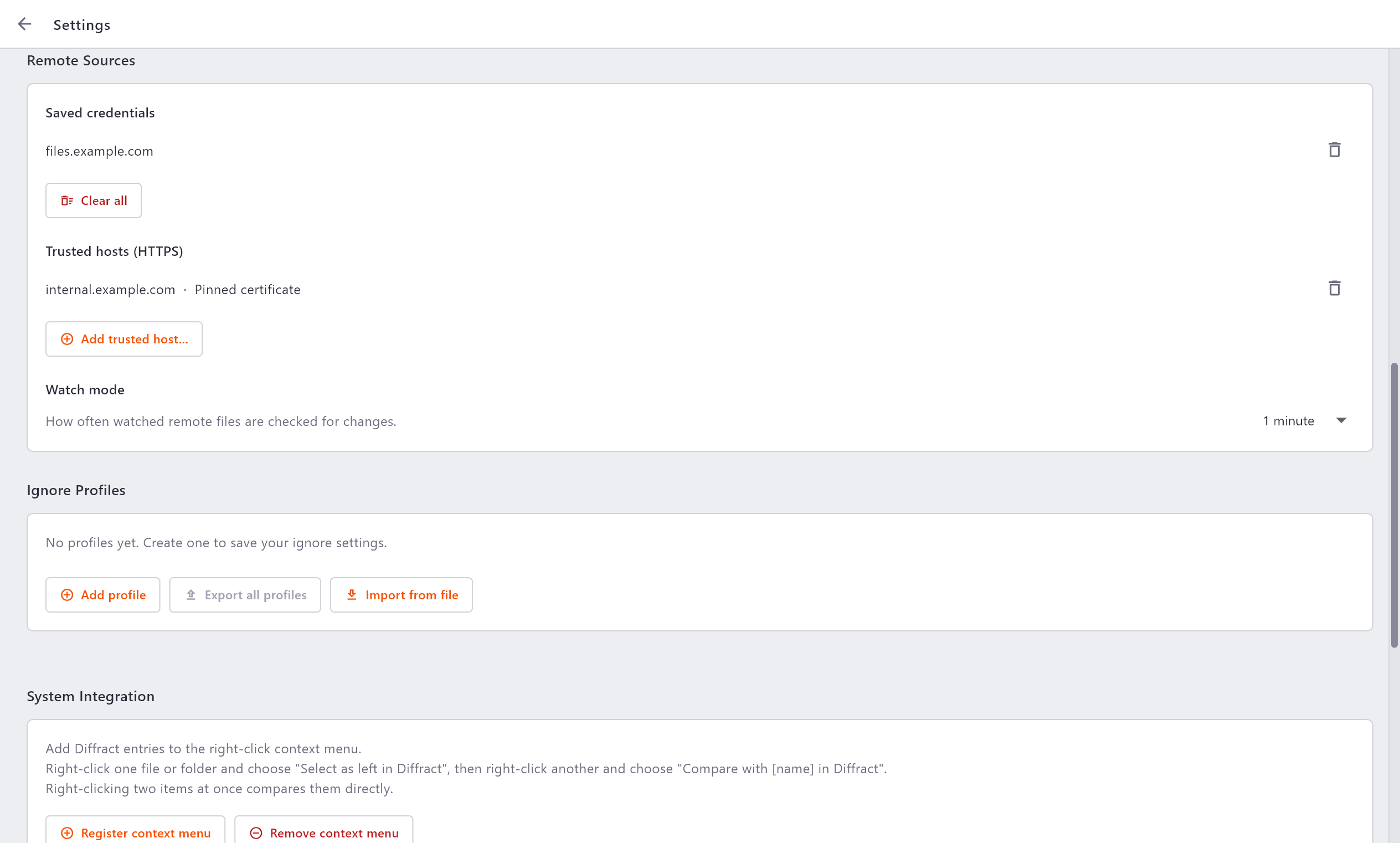
Saved credentials
When you choose This device (keychain) in the credential dialog, Diffract stores that credential in your operating system's secure credential store:
- Windows - Credential Manager (DPAPI)
- macOS - Keychain
- Linux - the Secret Service (libsecret / GNOME Keyring / KWallet)
Secrets are never written to ordinary settings or to disk in clear text.
Each saved host is listed here with a delete button to forget just that credential, and a Clear all button to remove every saved credential at once. After forgetting a credential you will be prompted again the next time you fetch from that host.
Trusted hosts (HTTPS)
This list shows the per-host TLS trust rules you have created, each with its mode (Allow self-signed, Pinned certificate, or Custom CA). Use it to:
- Remove a rule, restoring normal system-trust validation for that host.
- Add trusted host… to create a rule manually: enter the host, pick a mode, and supply the certificate SHA-256 (for pinning) or the CA bundle path (for a custom CA).
See Remote Comparison → Connection security for what each mode does and when to use it.
Warning
Allow self-signed disables certificate verification for that host. Only use it for hosts you control on a trusted network. Prefer Pinned certificate or a Custom CA where possible.
Watch mode
Default check interval sets how often watch mode polls a watched remote file for changes - from every 15 seconds to every 5 minutes (60 seconds by default). A shorter interval picks up changes faster at the cost of more frequent (lightweight, metadata-only) requests. This is only the default for newly started watches; turning watch on or off is done per side from the file's path bar.